
Back to: Python Programming
Building GUI applications with Python doesn’t have to be difficult. In this tutorial we’ll move step by step from simple Python GUIs to real useful apps.
By the end of the tutorial you’ll be able to make your own applications, design professional UIs and even create installers and packages to share your apps with other people.
PyQt6 is a Python GUI framework for creating GUI applications using the Qt toolkit. Created by Riverbank Computing, PyQt is free software (GPL licensed) and has been in development since 1999. The latest version PyQt6 was released in 2021.
This tutorial requires some basic Python knowledge, but no experience with GUI programming.
Before you start coding you will first need to have a working installation of PyQt6 on your system. If you don’t have PyQt6 set up yet, the following sections will guide you through how to do this on Windows, macOS and Linux.
Installation on Windows
PyQt6 for Windows can be installed as for any other application or library. As of Qt 5.6 installers are available to install via PyPi, the Python Package archive. To install PyQt6 from Python3 simply run in CMD prompt:
py -m pip install pyqt6After install is finished, you should be able to run python and import PyQt6.
If you encounter any issues – try: https://packaging.python.org/en/latest/tutorials/installing-packages/
Note that if you want access to Qt Designer or Qt Creator you will need to download this from https://qt.io/download[the Qt downloads site]. Read More…
Installation on macOS
If you already have a working installation of Python 3 on macOS, you can go ahead and install PyQt6 as for any other Python package, using the following:
python3 -m pip install pyqt6If you don’t have an installation of Python 3, you will need to install one first. You can download macOS installers for Python 3 from the Python homepage. Once installed, you should be able to use the pip3 install command above to install PyQt6.
If you encounter any issues – try: https://packaging.python.org/en/latest/tutorials/installing-packages/
Another alternative is to use Homebrew. Homebrew is a package manager for command-line software on macOS. Homebrew has both Python 3 and PyQt6 available in their repositories.
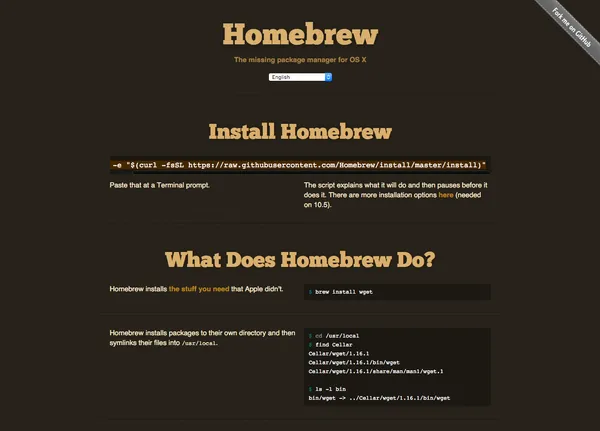
To install homebrew run the following from the command line:
ruby -e "$(curl -fsSL https://raw.githubusercontent.com/Homebrew/install/master/install)"Once Homebrew is installed you can then install Python with:
brew install python3With Python installed, you can then install PyQt6 as normal, using pip3 install pyqt6, or alternatively choose to install it using Homebrew with:
brew install pyqt6