
Back to: Python Programming
A module is a file containing code you can include in your program. Modules can be built-in or your own code. Use “import” to include a module.
To find a list of the “built-in” modules available to Python type:
print(help("modules"))or visit: https://docs.python.org/3/py-modindex.html
An example module is “math” – to list all of the different variables and functions found within the math module, you can place the name of the module within the help function.
print(help("math"))To use a module we must first import it:
import math #<-- allows access to everything contained in itTo access the variables and functions within the math module, for instance Pi (π):
import math
print(math.pi)
It is possible to give the module an alias:
import math as m  #<- changes module name to m
print(m.pi)
You can be specific about what you import from the module:
from math import pi #<- we no longer need the module name
print(pi)
To create a module
It can be useful to separate a program into individual files that perform specific tasks.
Right click our Python Folder –> New… –> Python File

Name the module “area” and select Python file. We now have a new tab called area.py
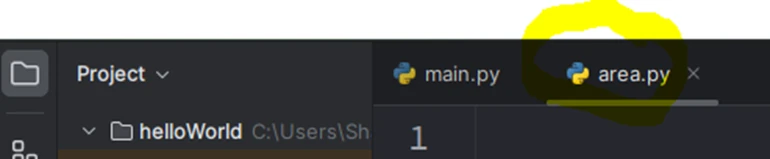
We’ll create some functions to calculate area in the area.py file:
pi = 3.141592653589793

def square(l):
    return l ** 2

def circle(r):
    return pi * r ** 2

def triangle(b, h):
    return 0.5 * b * h

def rectangle(l, w):
    return l * w
In the main.py program we can import this module and immediately use these functions:
import area # <- imports our file area.py ready for use

area = area.square(5)
print(area)
result: 25
import area

area = area.circle(6)
print(area)
result: 113.09733552923255
import area

area = area.triangle(6, 3)
print(area)
result: 9.0
Exercise
Extend this code to ask the user what type of area calculation they want to do, then depending on their choice, ask for the radius, length, width and/or height… then perform the correct calculation. Layout the results in a meaningful way.
Add functionality to also cater for perimeter.